Subcontractors wanted for our founding pilot. Join the pilot
The Subcontractor Desk

The desks

Six desks. One record for every order.

Start with the desk that costs you most today, usually Commercial, and add the rest when you're ready. Every desk works across all your main contractors.

Tender→Contract→Estimate→Delivery→Commercial→Cash and dashboard

A figure entered once flows forward to every later desk.

DESK 1

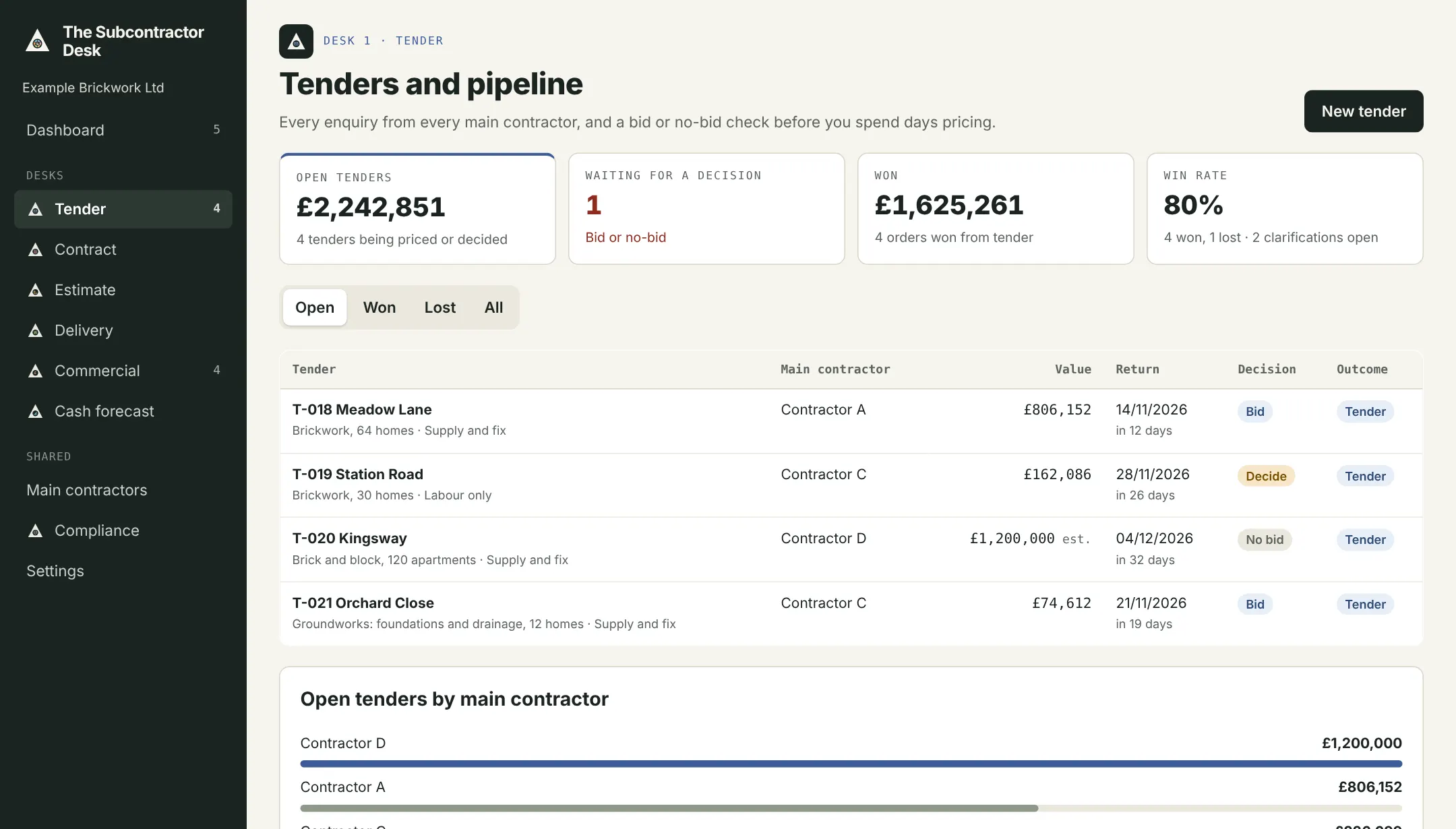
Tender

Find and choose the work

Flows on: A won tender becomes a live order.

  • Tender register for each main contractor
  • Bid or no-bid check: workload, margin, payment record, terms
  • Clarifications log
  • Pipeline by client and month
  • Win rate and reasons lost
Tender register with bid or no-bid decisions
Tender register with bid or no-bid decisions. Example company.

DESK 2

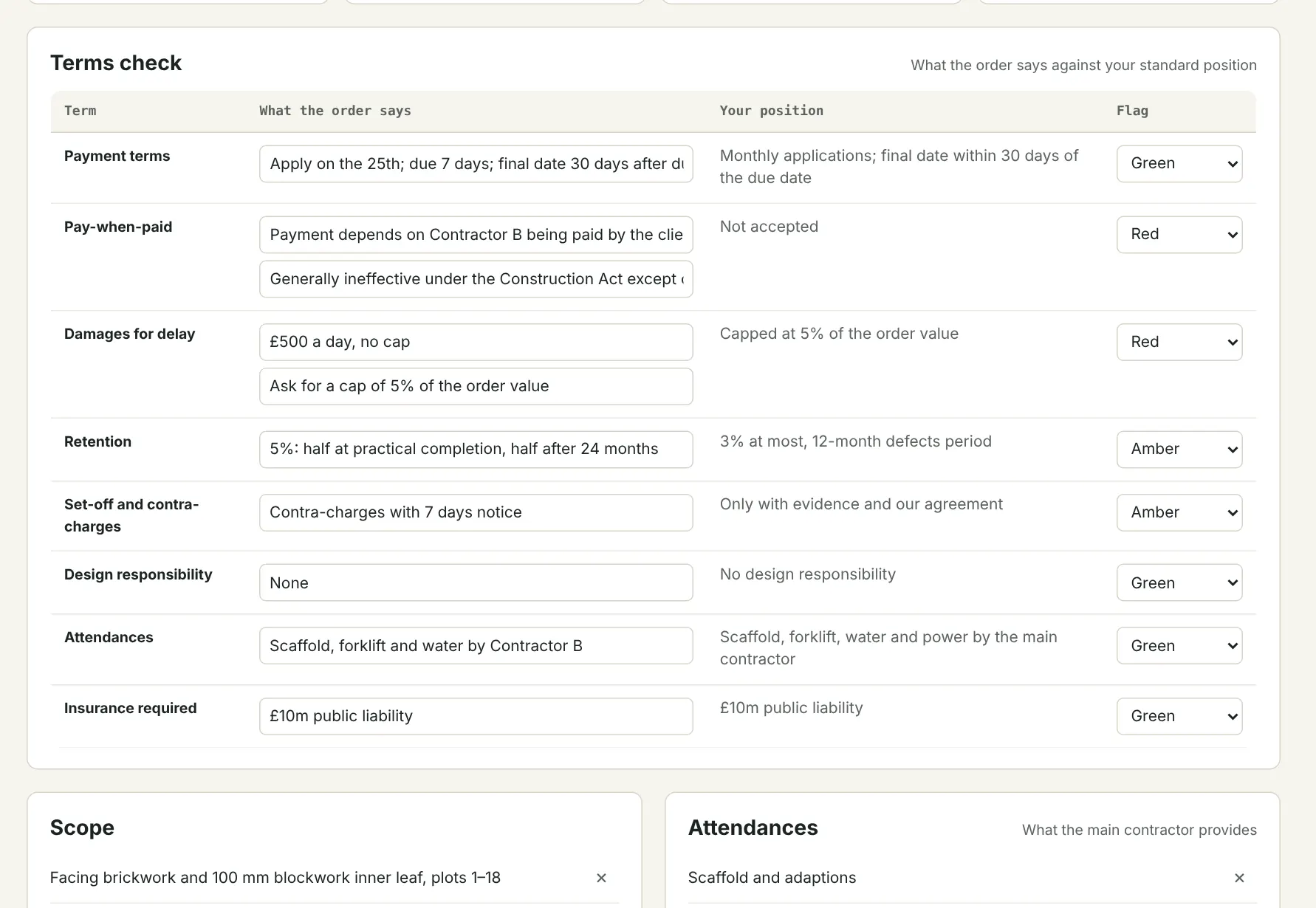
Contract

Know what you're signing

Flows on: Payment terms set every date in Commercial.

  • Terms check against your standard position
  • Red, amber and green risk flags
  • Qualifications and exclusions, reused in the return
  • Scope and attendances: who provides what
  • Start, completion and defects dates
Terms check with red, amber and green flags
Terms check with red, amber and green flags. Example company.

DESK 3

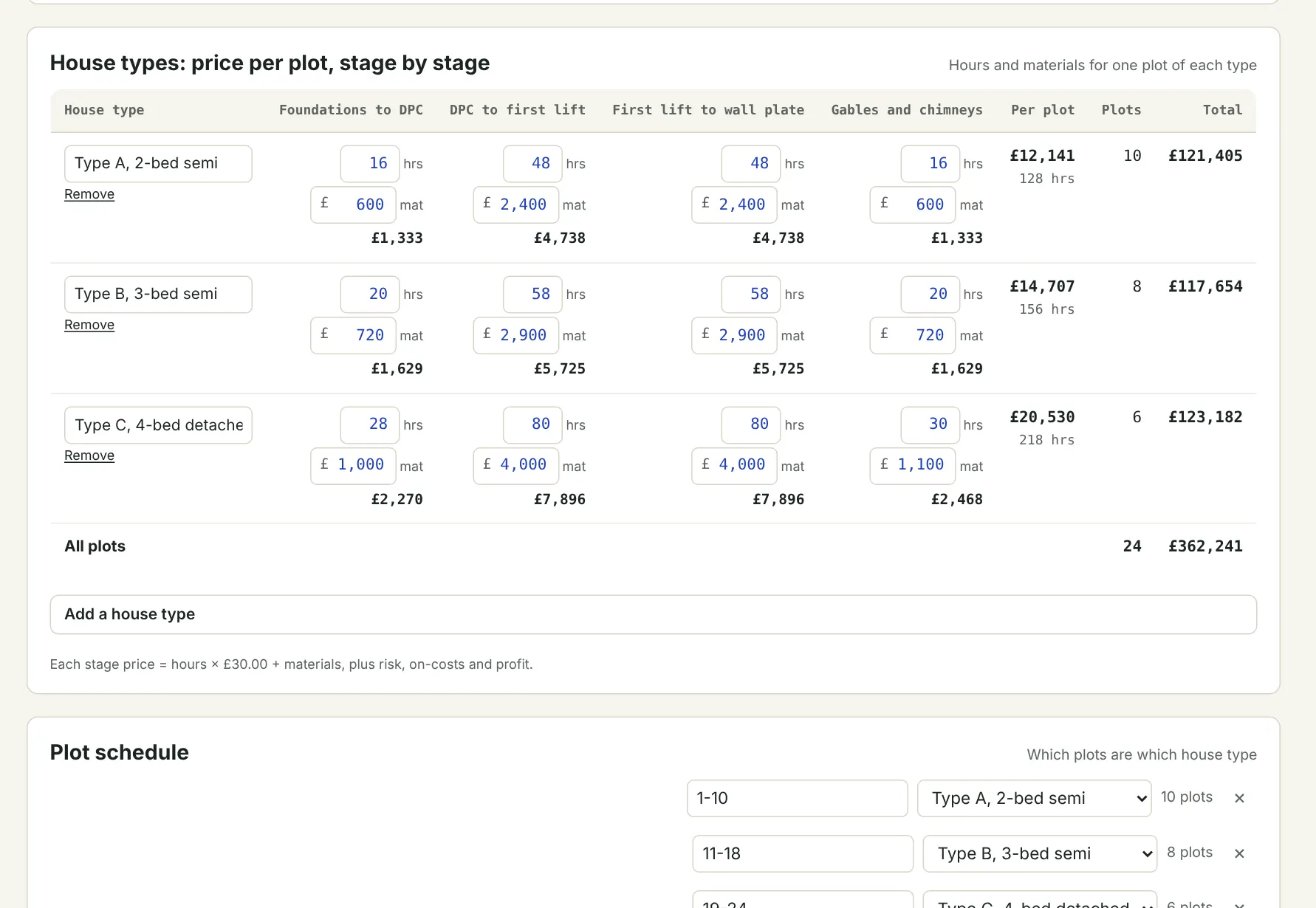
Estimate

Price it

Flows on: The won price becomes the budget; plot stages become the tracker.

  • Measured rates: measurement sheet with drawing references and built-up rates
  • Plot and stage: house types × stages × plots, with trade templates
  • Lump sum for small jobs and early figures
  • Preliminaries, provisional sums, risk and discount
  • Supply and fix, labour only or supply only; trade libraries
Plot and stage pricing: house types, stages and price per plot
Plot and stage pricing: house types, stages and price per plot. Example company.

DESK 4

Delivery

Resource and progress

Flows on: Finished plot stages value the application; daywork becomes a variation.

  • Programme by activities and dates, imported from the main contractor
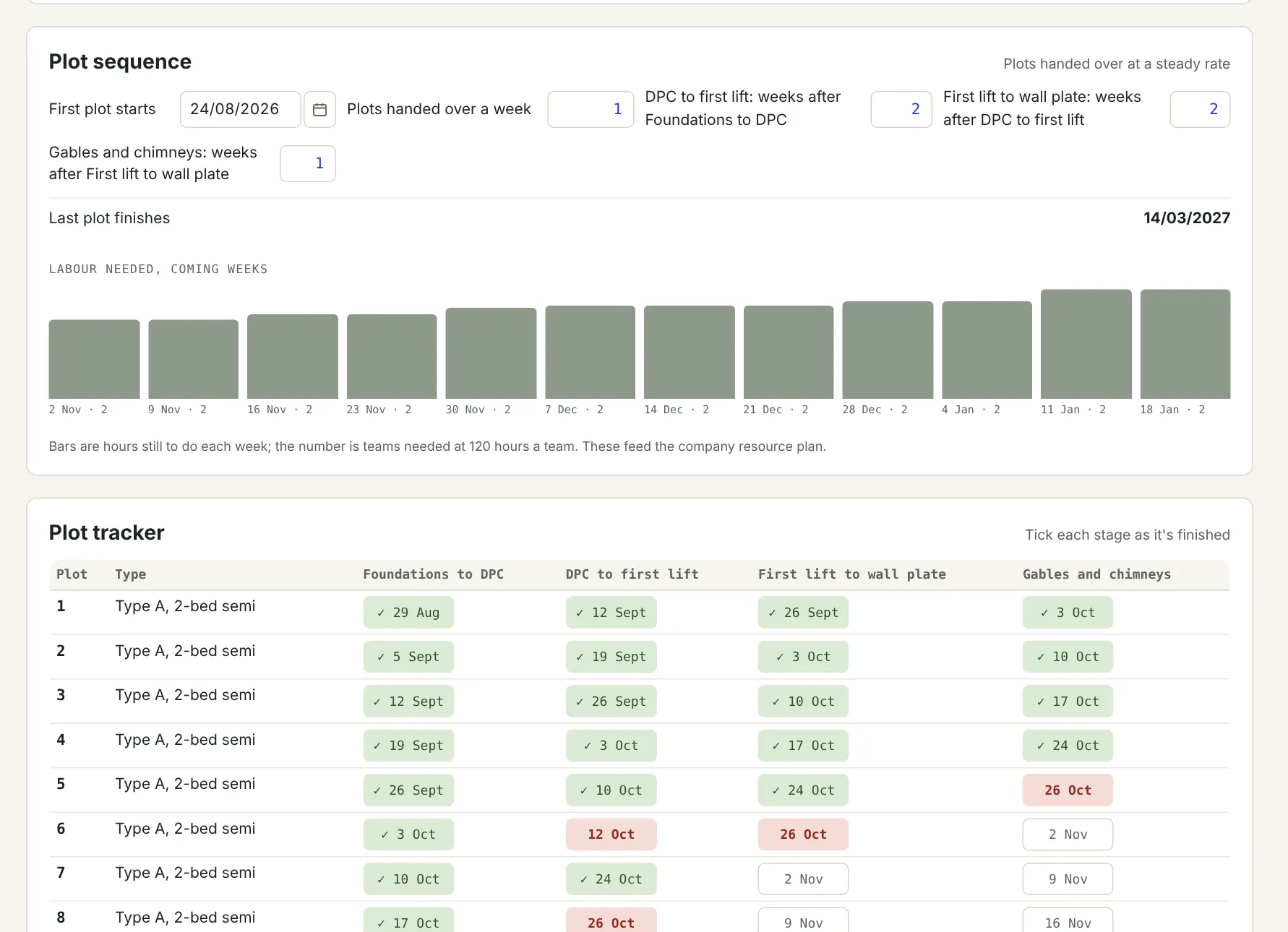
  • Plot sequence: plots a week and weeks between stages
  • Or from labour days and the teams on the job
  • Plot tracker and progress by area; teams needed against teams planned
  • Daywork sheets signed on site; delays logged and notified
Plot sequence programme with labour needed each week
Plot sequence programme with labour needed each week. Example company.

DESK 5

Commercial

Get paid for what you've done

Flows on: Applications and retention dates become cash in.

  • Valuations against the budget
  • Applications in each main contractor's format
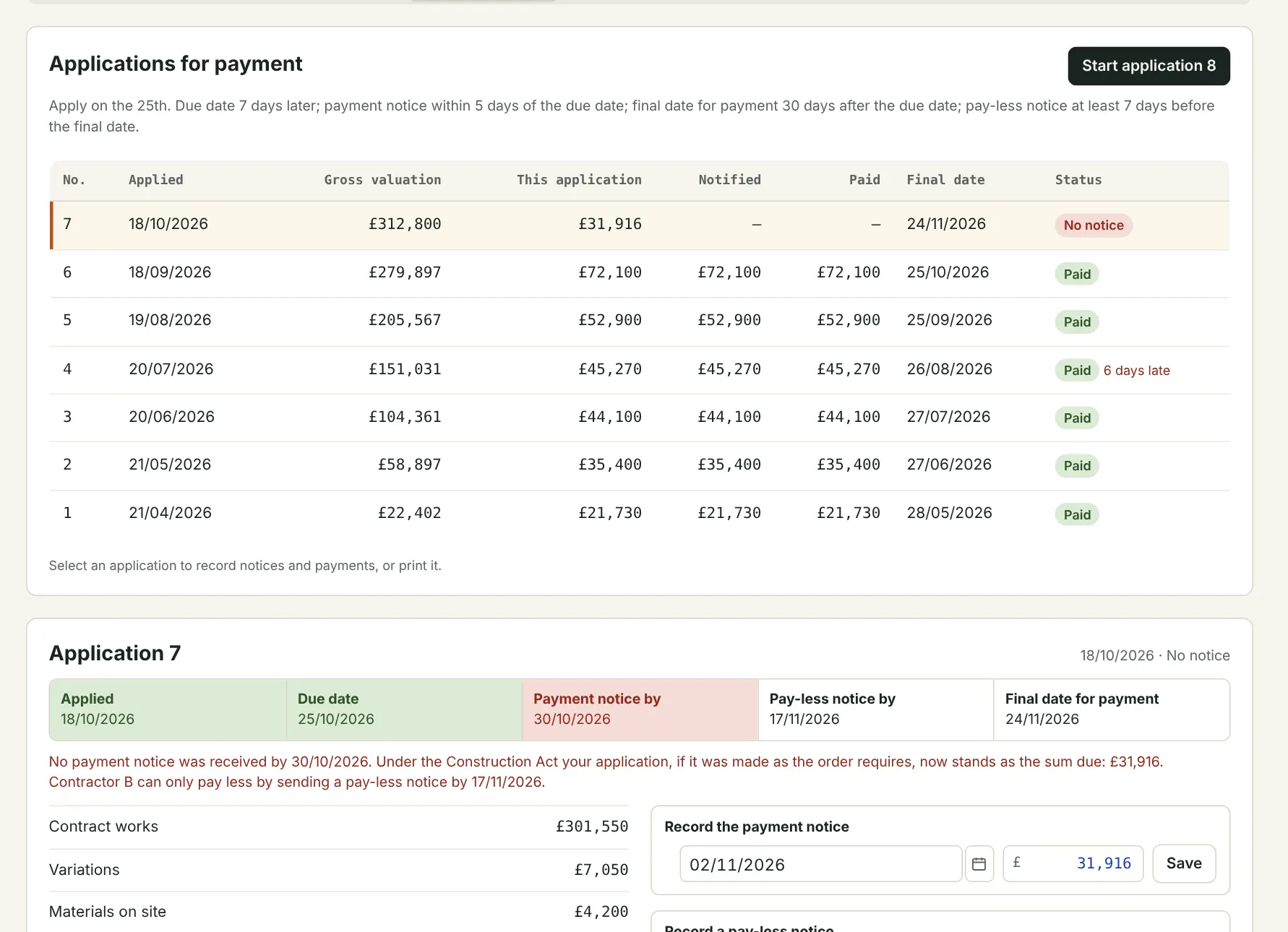
  • Payment and pay-less notice tracker
  • Variations from instruction to payment
  • Invoices, contra-charges, retentions, final account
Applications for payment with notice dates and status
Applications for payment with notice dates and status. Example company.

DESK 6

Cash and dashboard

The whole business in one view

Flows on: Payment records feed the next bid decision.

  • Company dashboard and needs-attention list
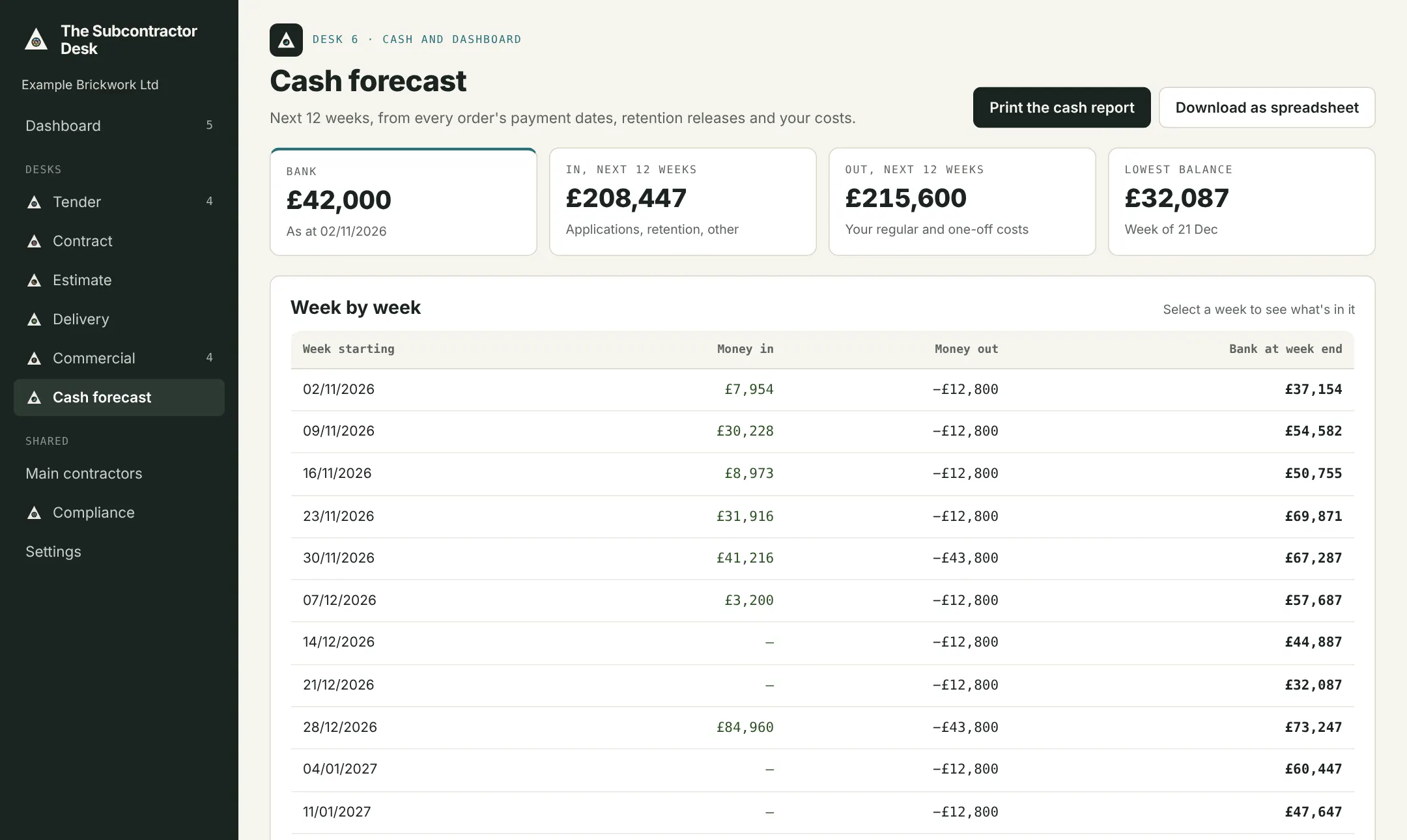
  • Cash forecast from real payment dates
  • Client league table: owed, days to pay, margin
  • Margin per order
  • CIS record for the year
Twelve-week cash forecast
Twelve-week cash forecast. Example company.

What it produces

Documents ready to send

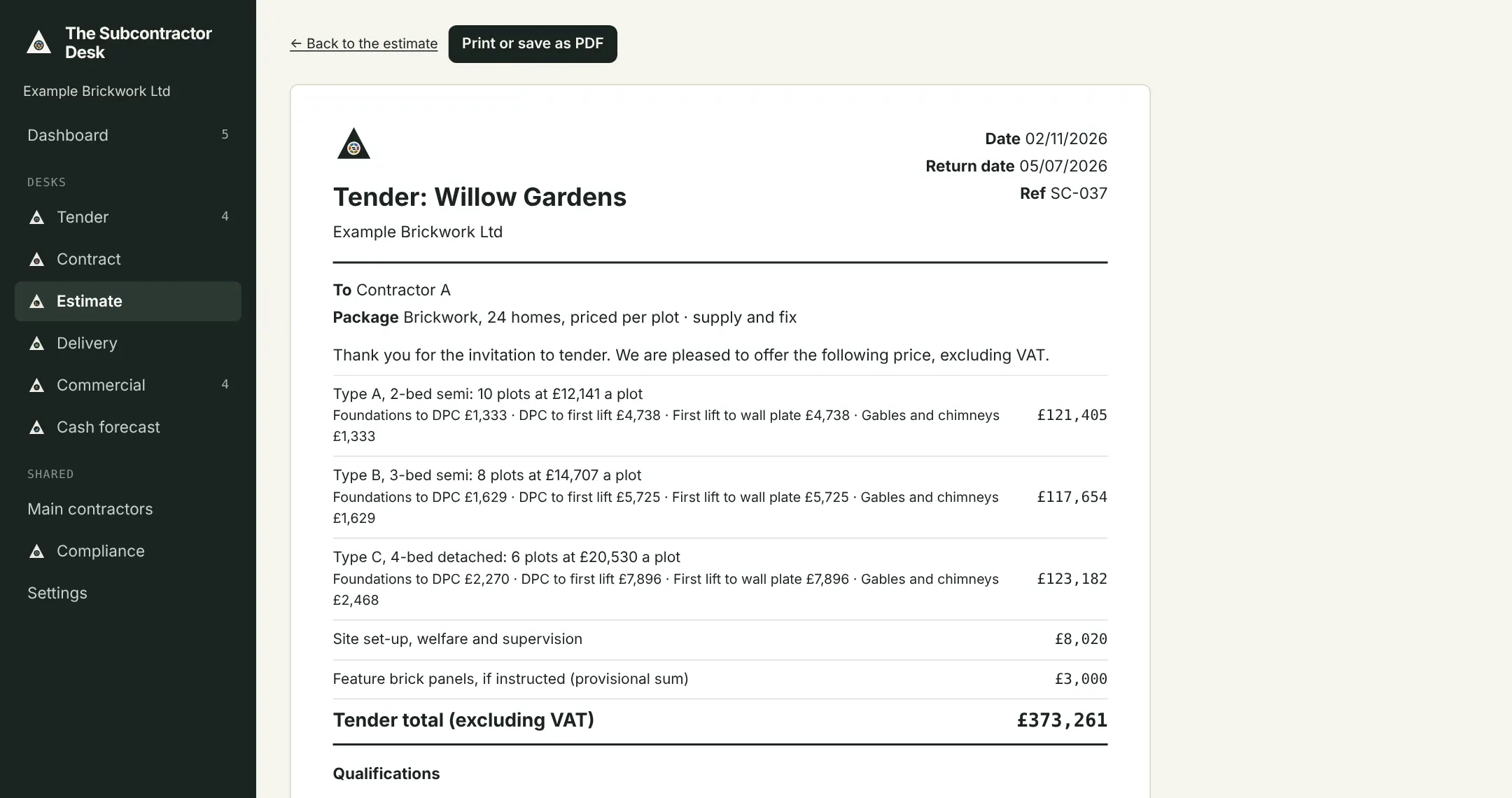
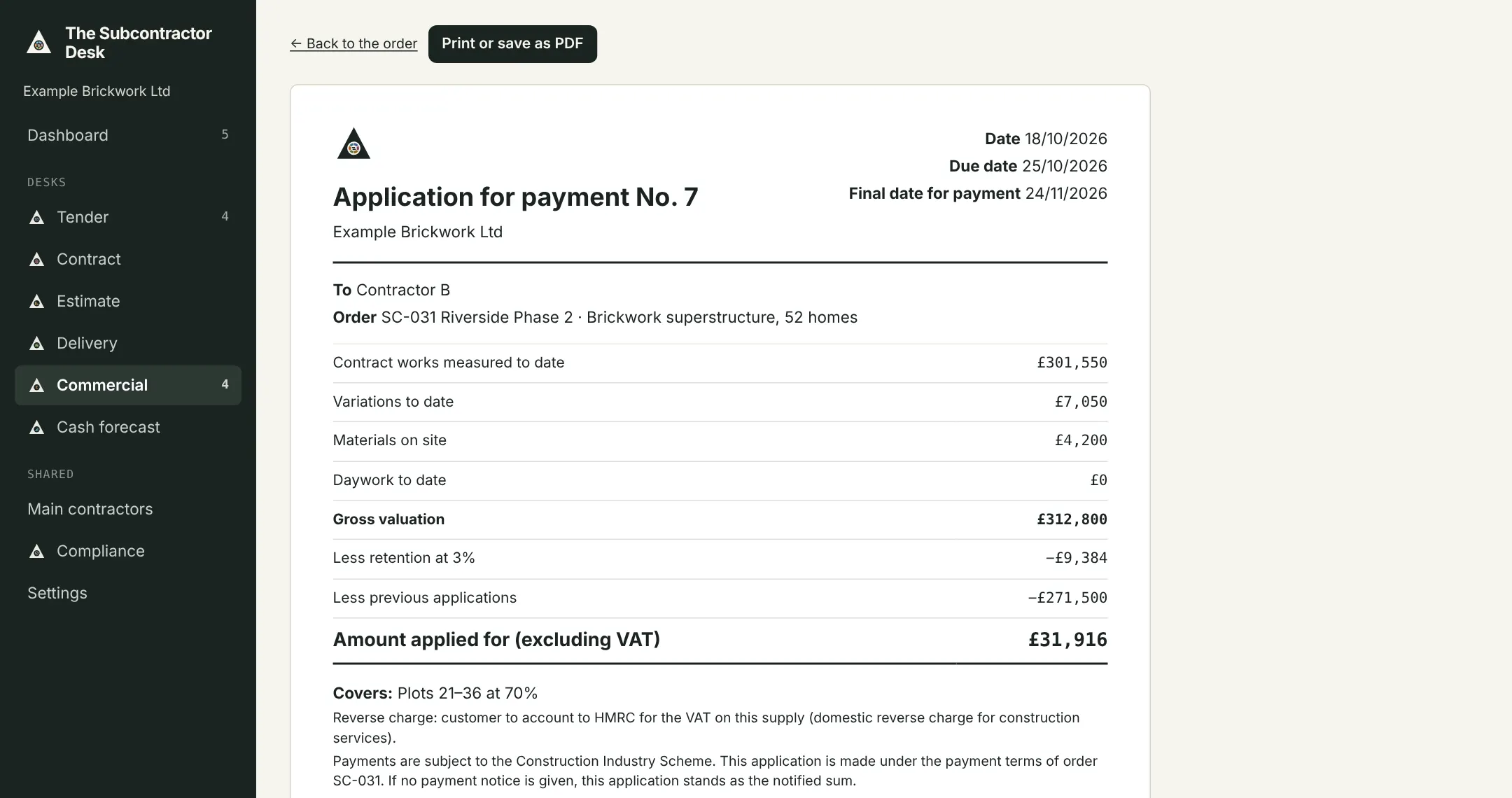
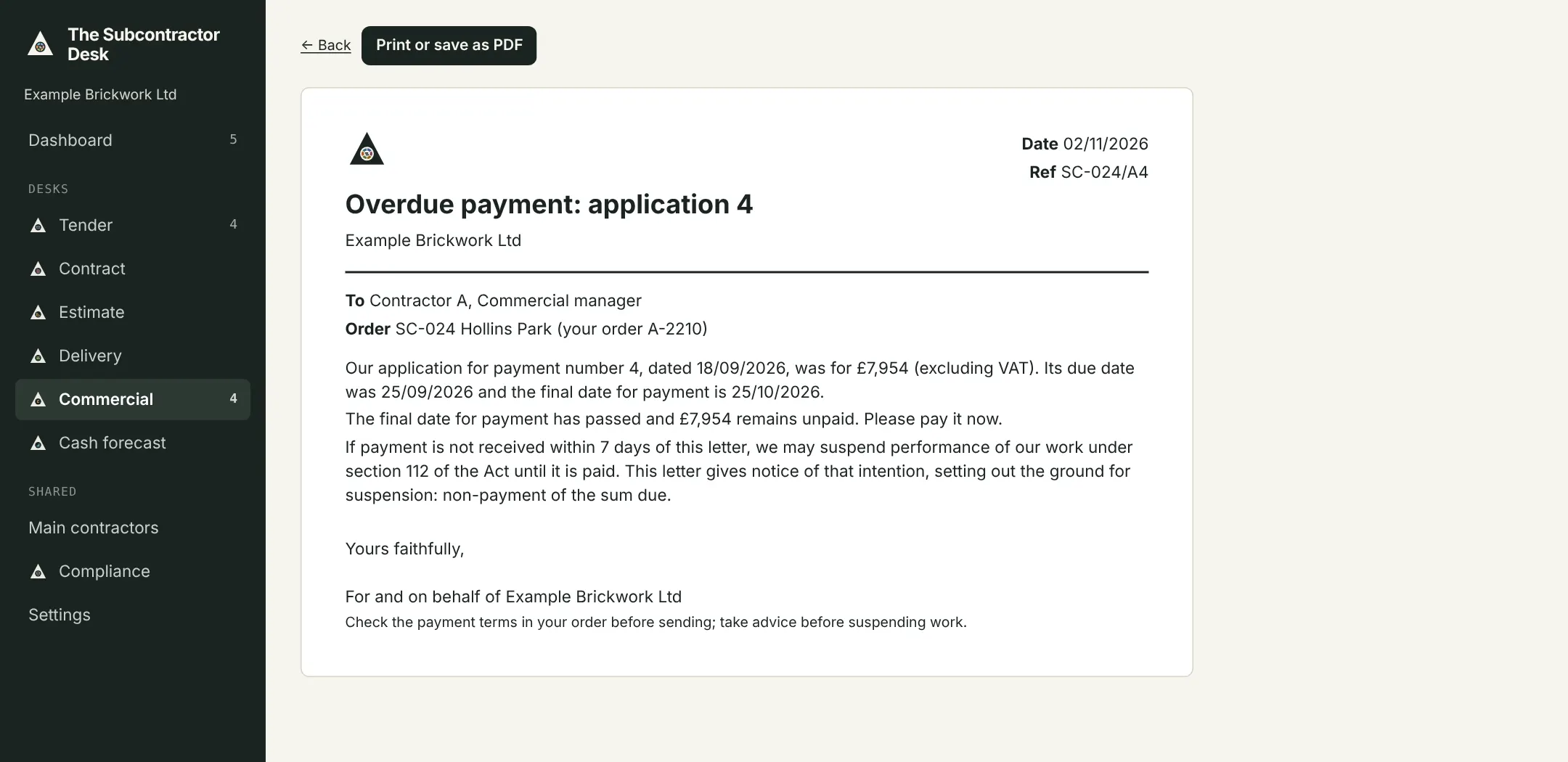
Every order has a Documents tab: tender returns, terms query letters, applications for payment, payment letters, variation quotations, retention release requests, daywork sheets and delay notices.

Tender return, priced per plot
Tender return, priced per plot. Example company.
Application for payment
Application for payment. Example company.
Payment letter for an overdue application
Payment letter for an overdue application. Example company.

Shared by every desk

Set up once, used everywhere

Compliance

Insurances, RAMS, CHAS, Constructionline, CSCS cards and inductions, with what each main contractor asks for.

Clients and orders

Main contractors, contacts and every order with its documents.

Settings and Excel

Your company, CIS and VAT details, users and roles, templates, and later your accounts software. Import from Excel and export any screen to Excel.

Join the pilotStart a 30-day free trial