The app
The gang, the site and the office, on one app.
Operatives send their week from their phone. The contracts manager checks it on site. The owner approves it, pays it, and sees every order and every main contractor in one place.
Every picture on this page is a real screen from The Subcontractor Desk, filled with an example company's data. Select any office screen to open it full size.
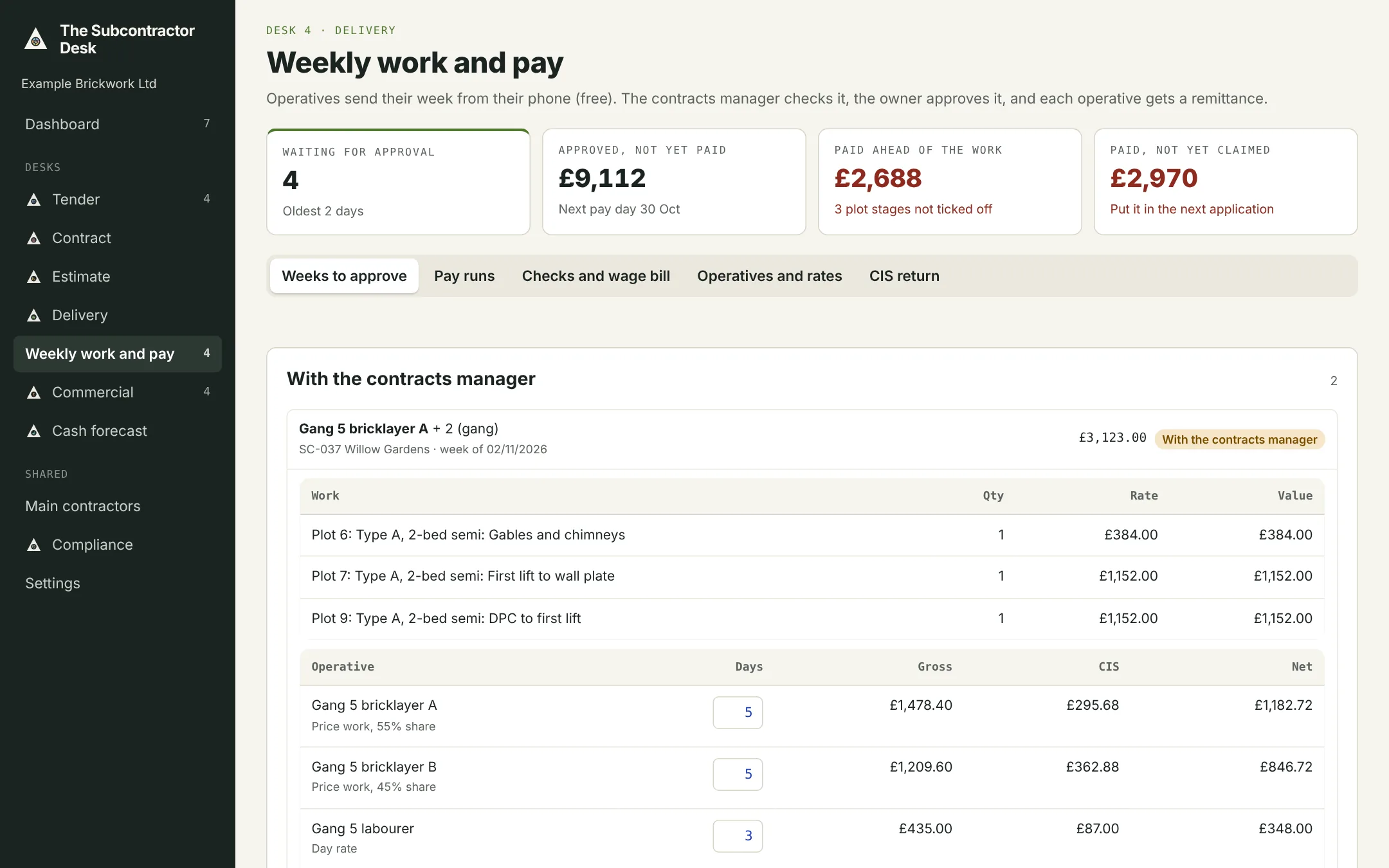
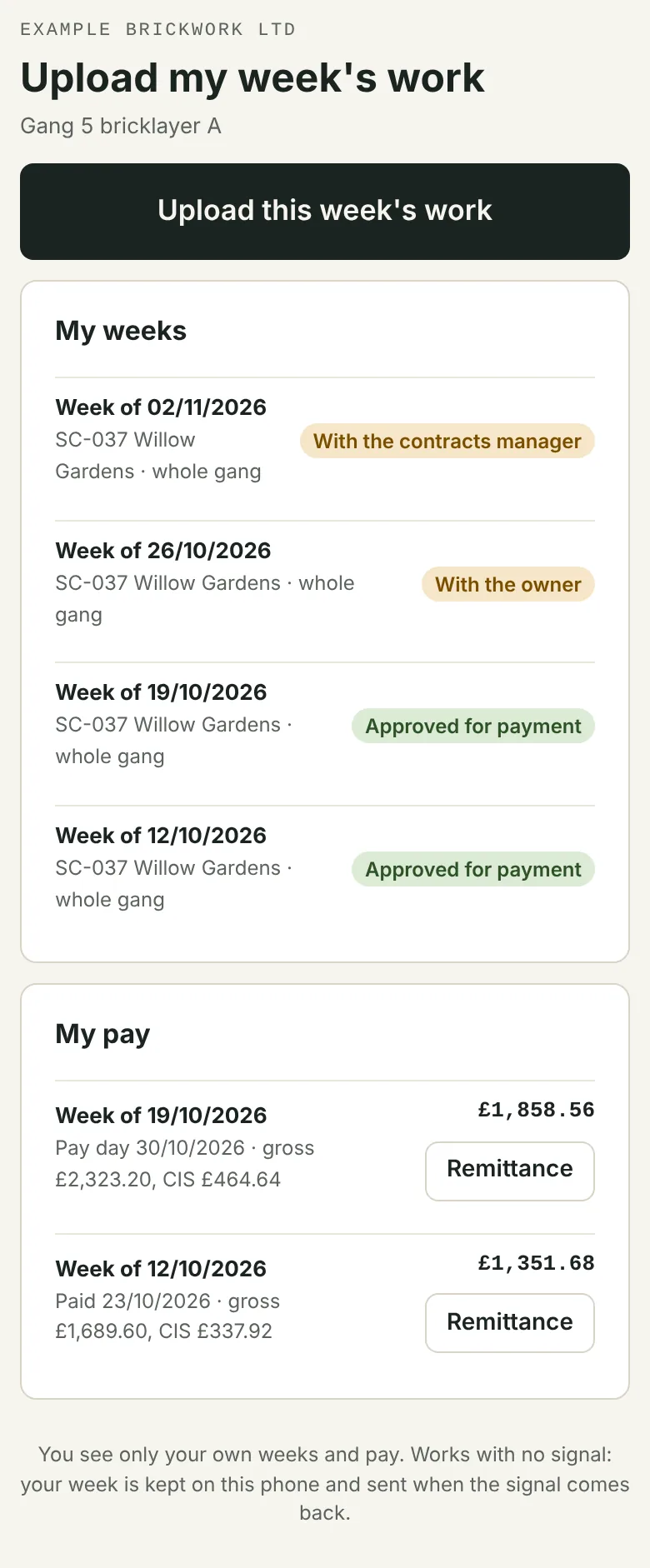
Example data The office and an operative's phone
For your operatives
Send my week. See my pay.
A simple phone screen that does three things. Operatives are free, however many you have.
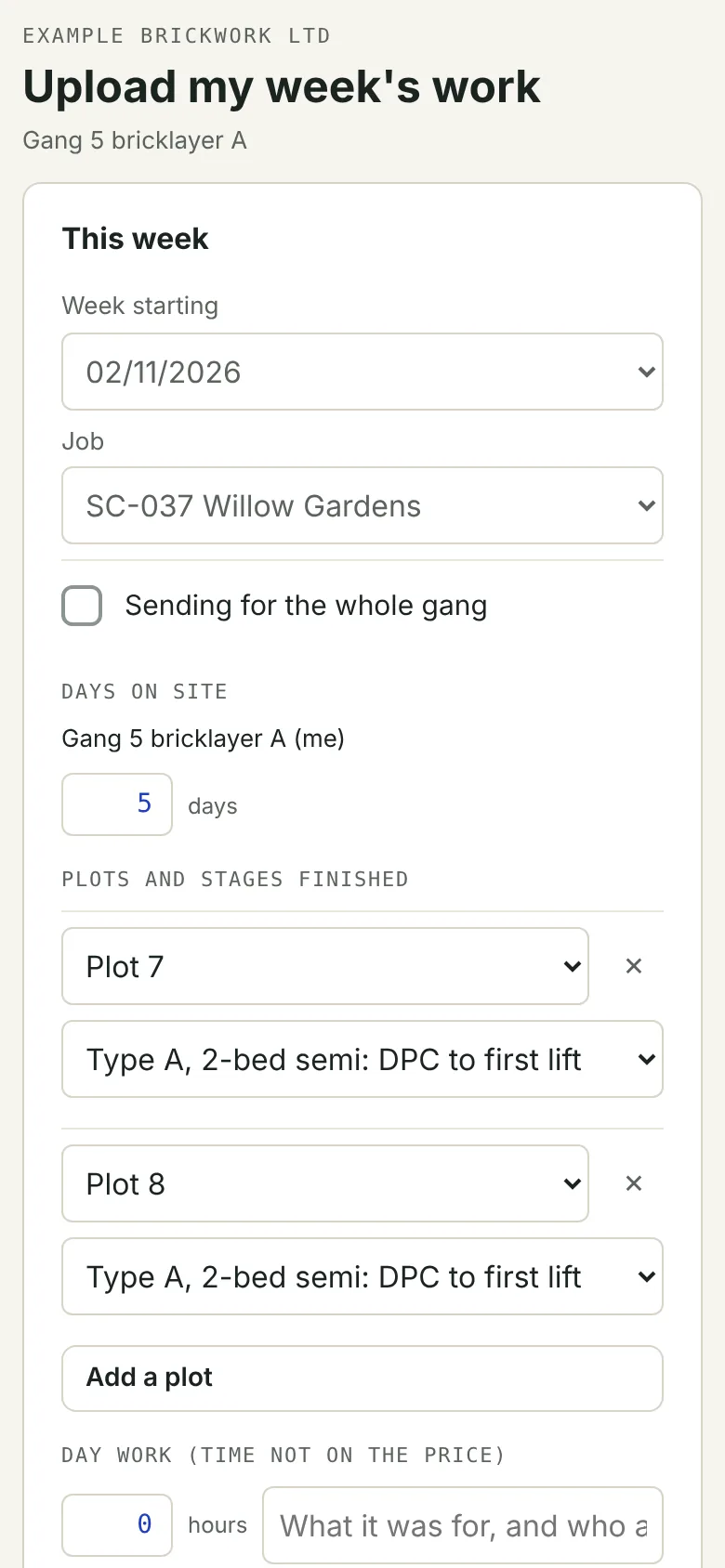
- Send my week: the job, the plots and stages finished or the work measured, days on site, day work, notes and photos.
- Works with no signal: the week is kept on the phone and sends when they're back in range.
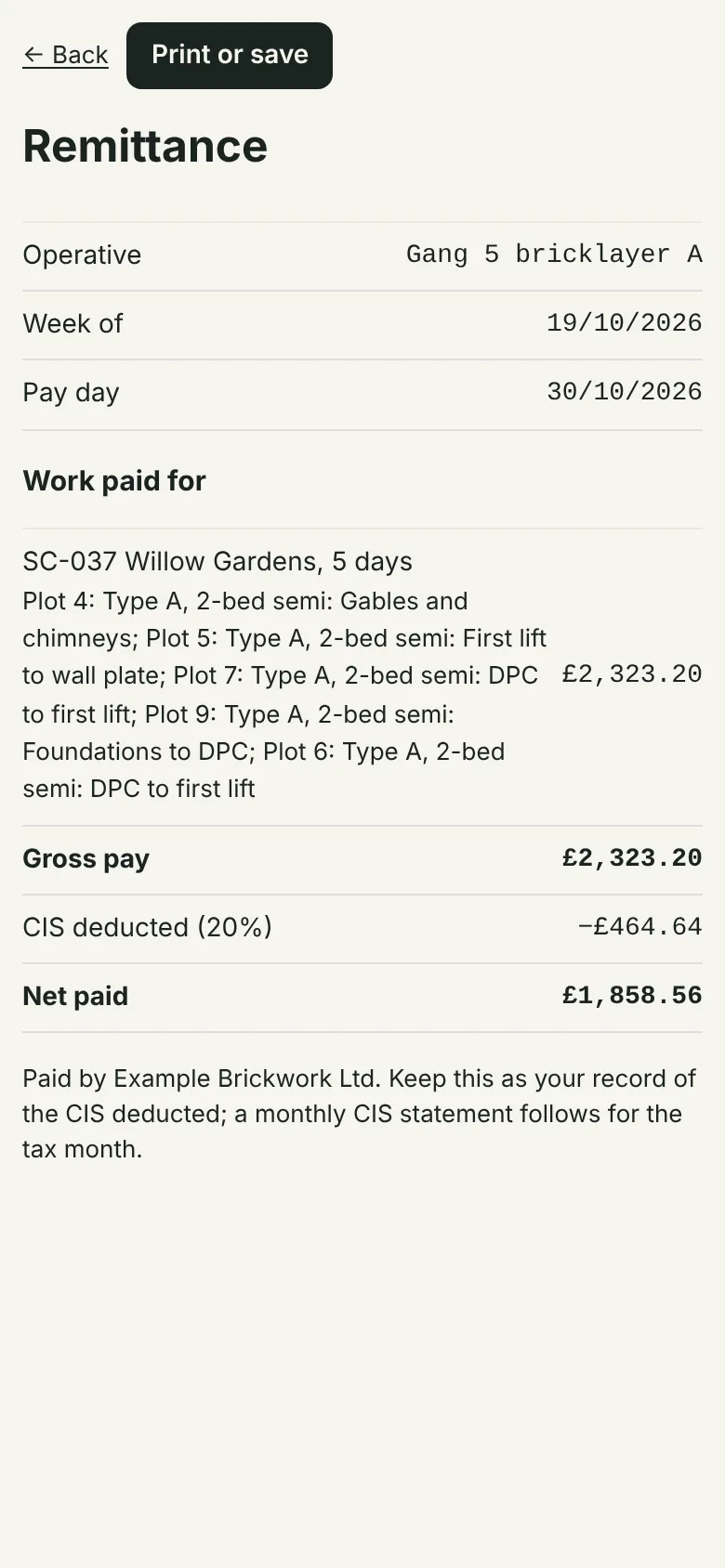
- My weeks and my pay: where each week has got to, the pay day, and a remittance showing the CIS deducted.
- They see only their own weeks and pay, never your rates or the main contractor's prices.
Swipe for more screens
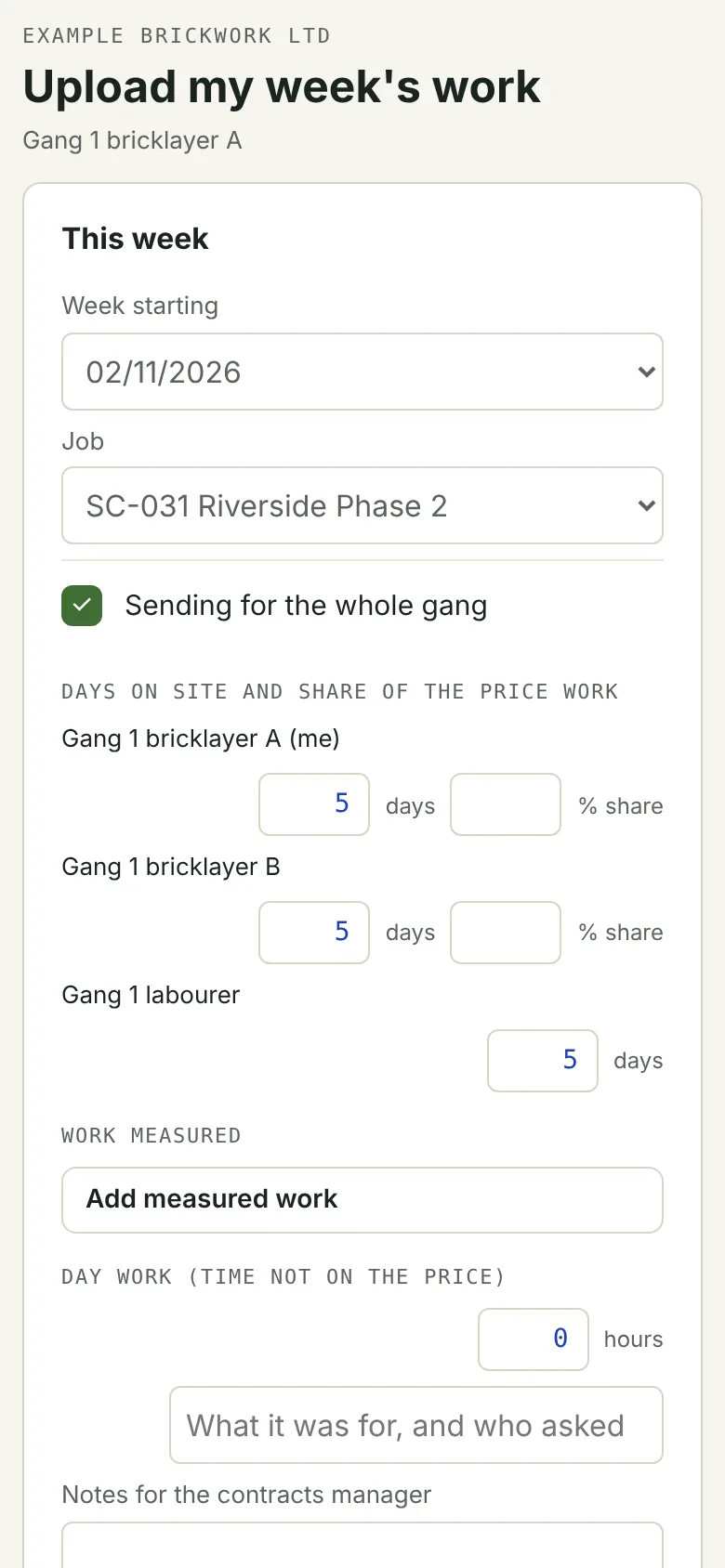
For gang leaders
One week for the whole gang.
The gang leader ticks “Sending for the whole gang” and sends one week for everyone.
- Days on site for each member, and each one's share of the price work.
- Day-rate labourers and price-work bricklayers on the same week.
- Photos of the work and the signed day sheet go with it.
- Each member's pay is worked out from their days and share, and each gets their own remittance.
For contracts managers
Check the week against the work.
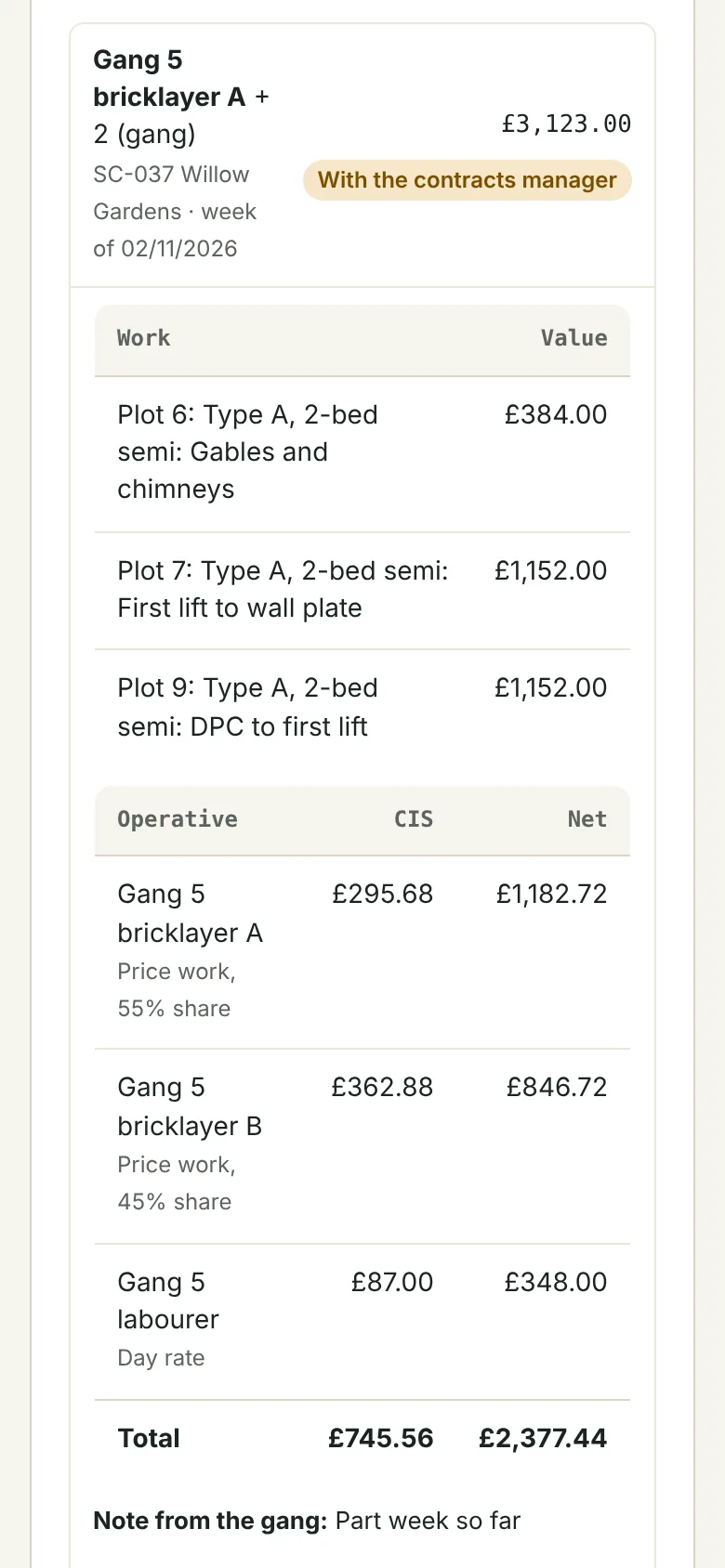
Every week comes to the contracts manager first, on a phone on site or at a desk in the office.
- See the work, the days and each operative's gross, CIS and net pay.
- Send it to the owner, or query it back to the operative with a note.
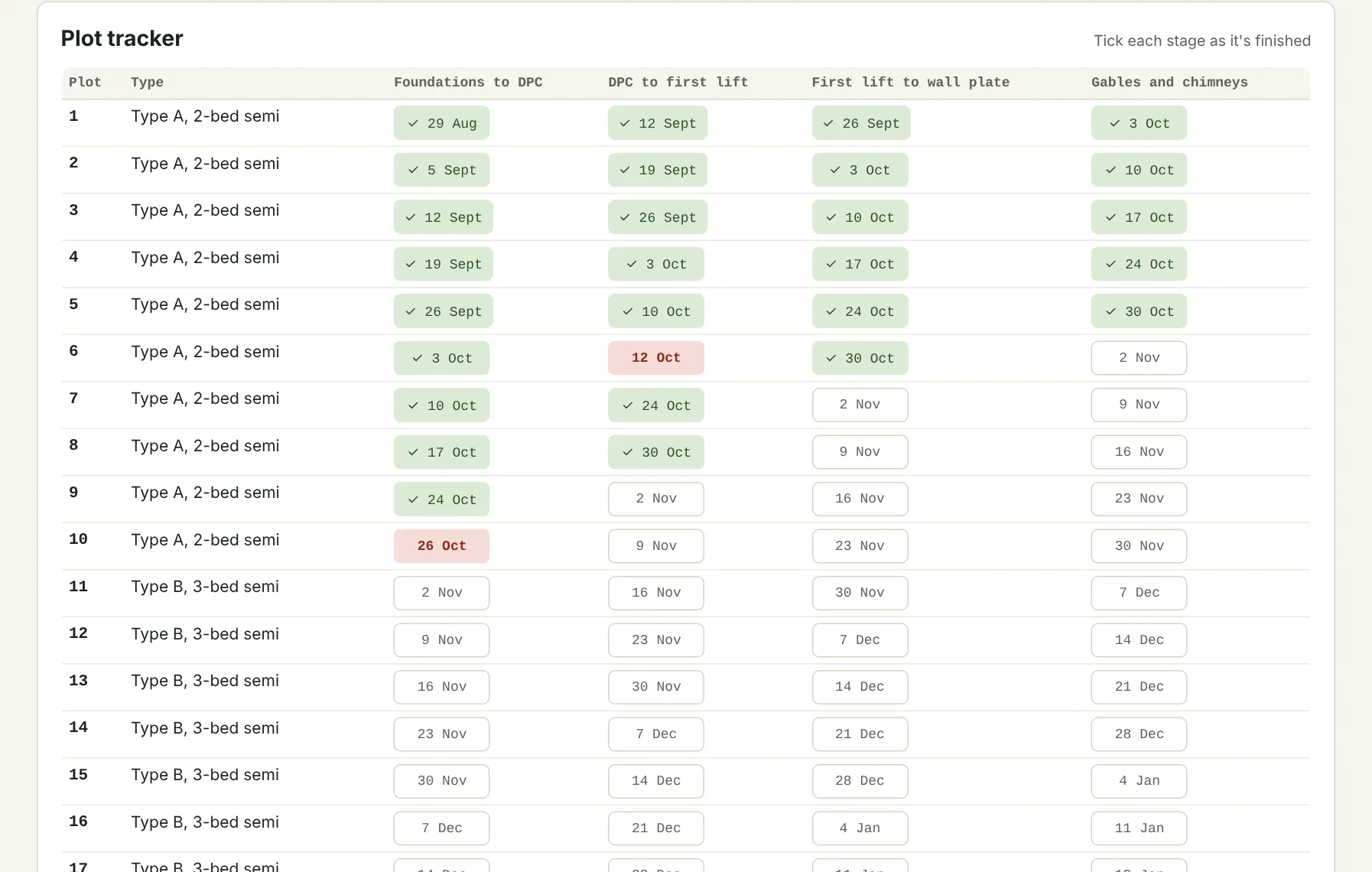
- Tick plot stages off as they're finished. Price work paid on a stage that isn't ticked off is flagged.
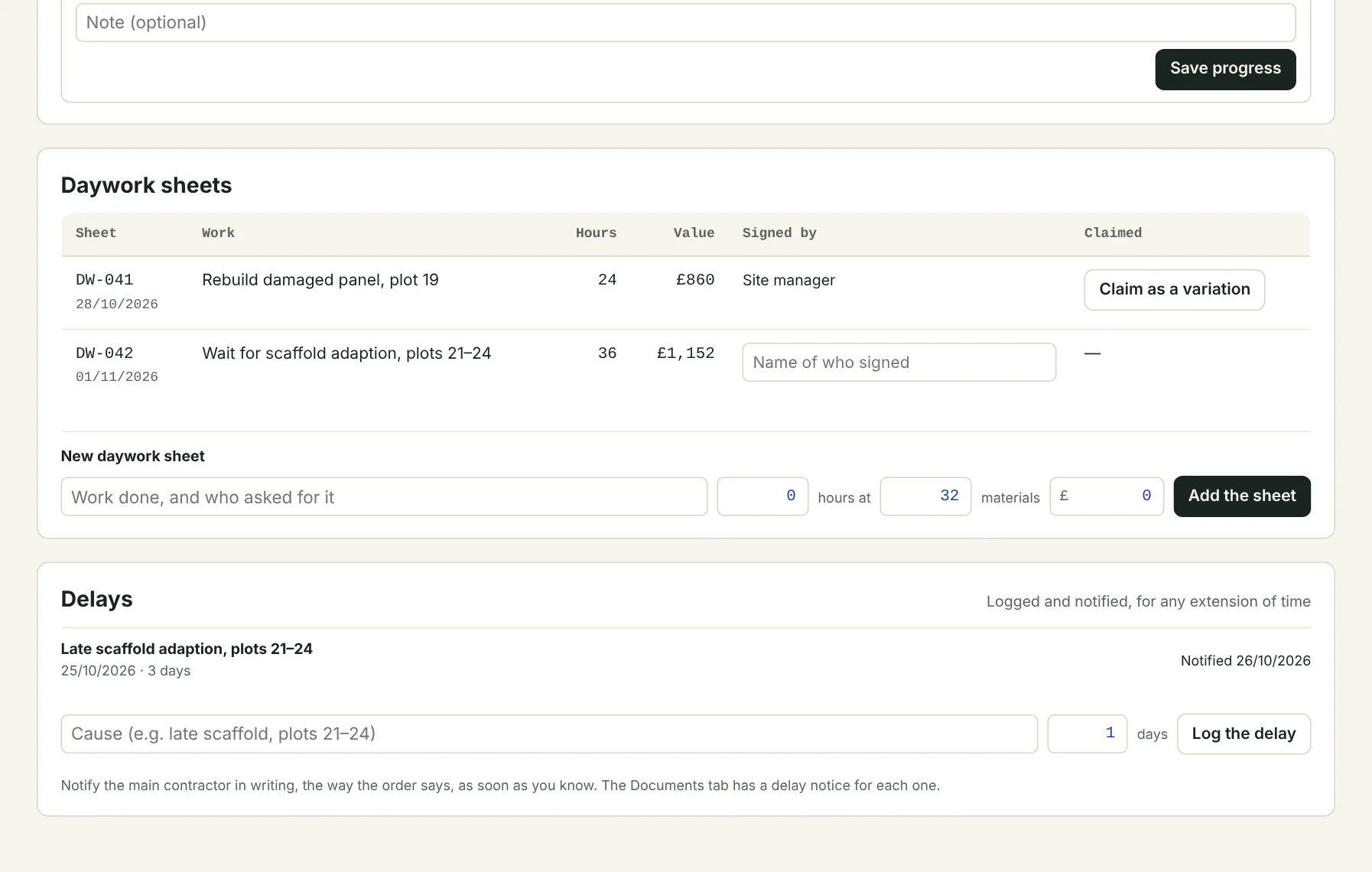
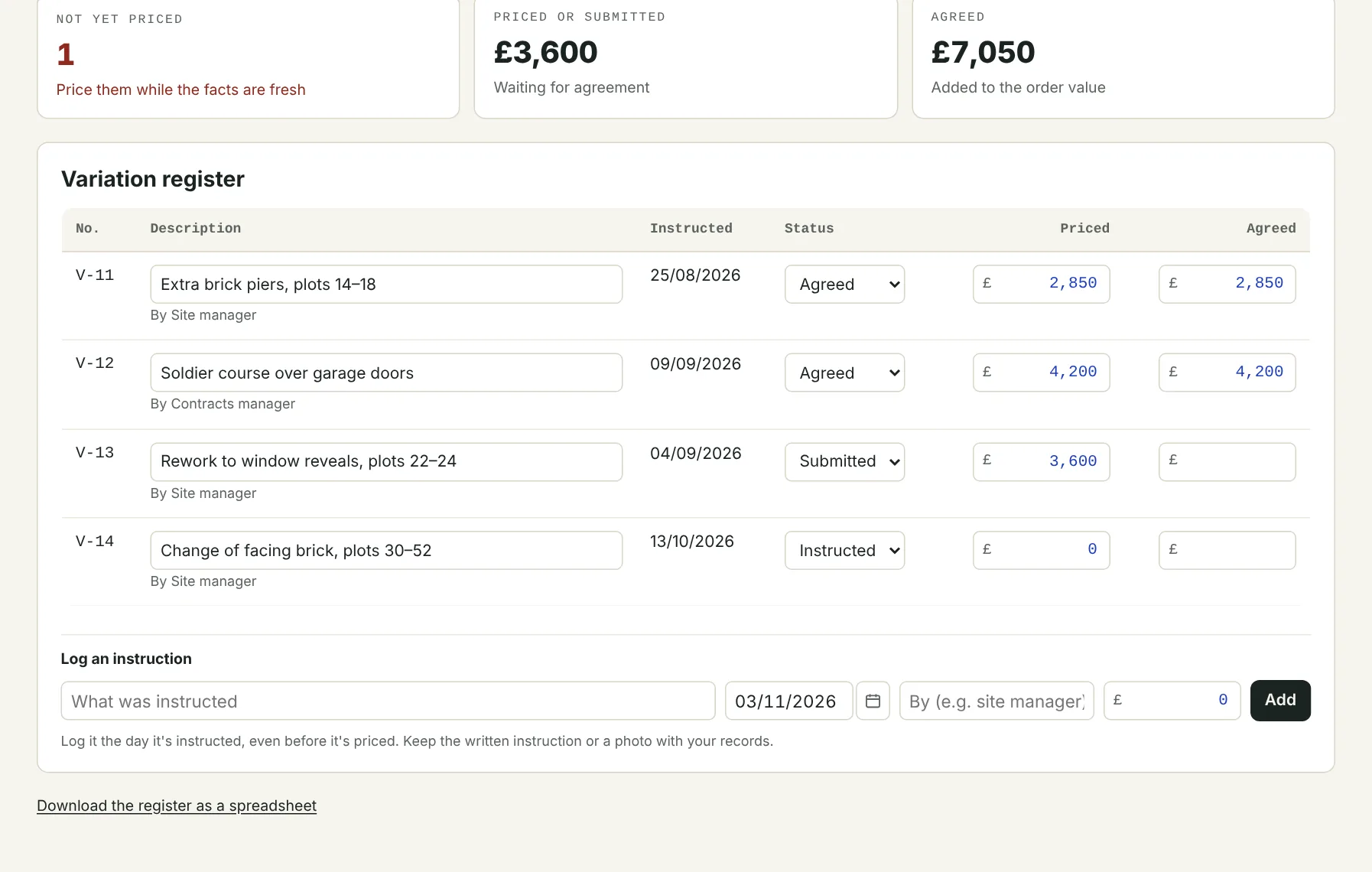
- Daywork sheets signed on site, then claimed as a variation. Delays logged and notified.
Swipe for more screens. Tap one to open it full size.
For the owner
Approve it, pay it, send it to your accounts.
The owner has the last word on every week, and the figures are done by the time it's approved.
- Approve each week for payment, send it back to the contracts manager, or query it.
- The pay run for each pay day, with CIS worked out from each operative's verified status: gross, 20% or 30%.
- A remittance for every operative, ready to print or save.
- CIS figures for each tax month, ready for the monthly return.
- Pay runs and sales invoices exported for Xero or Sage.
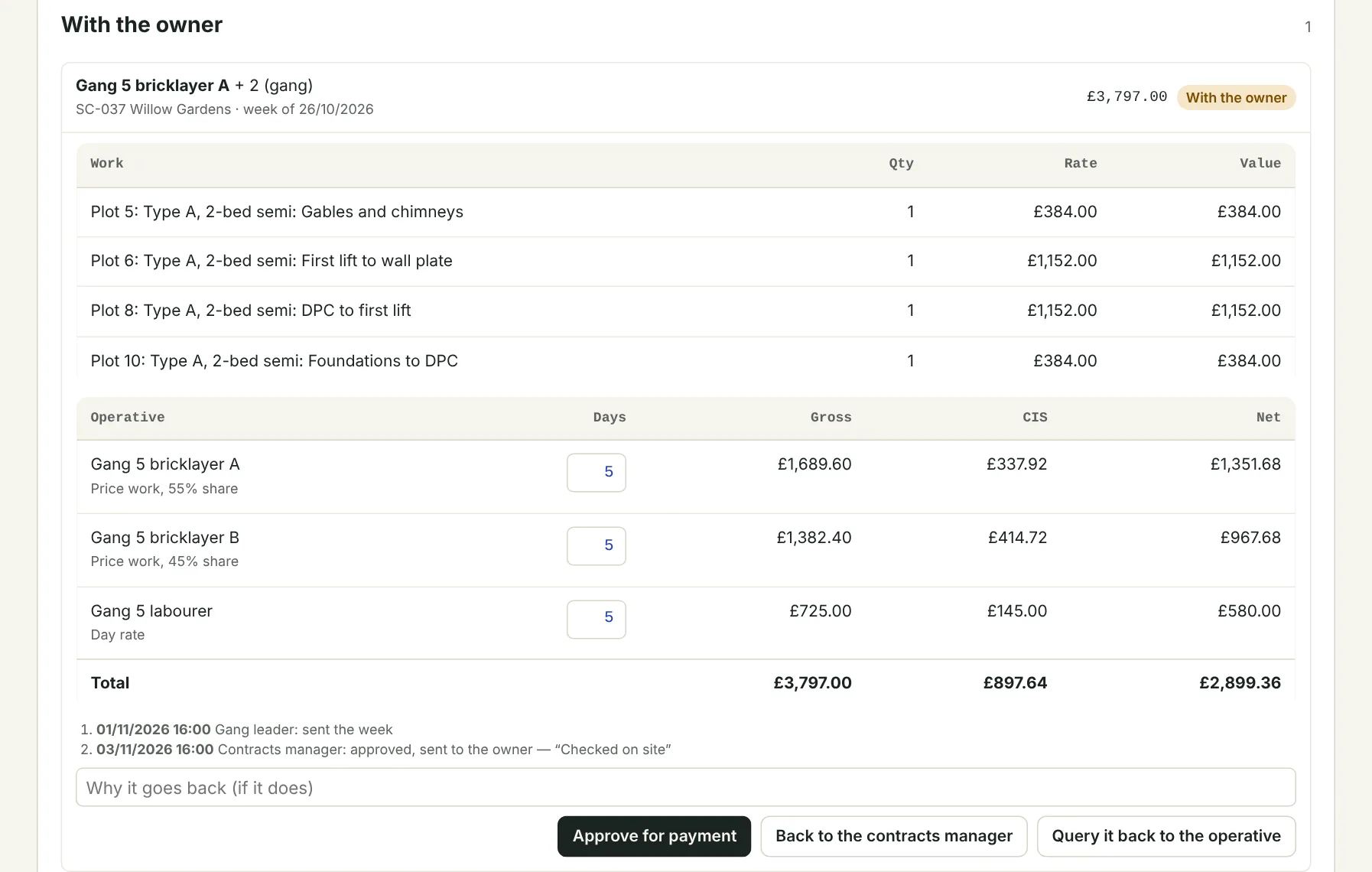
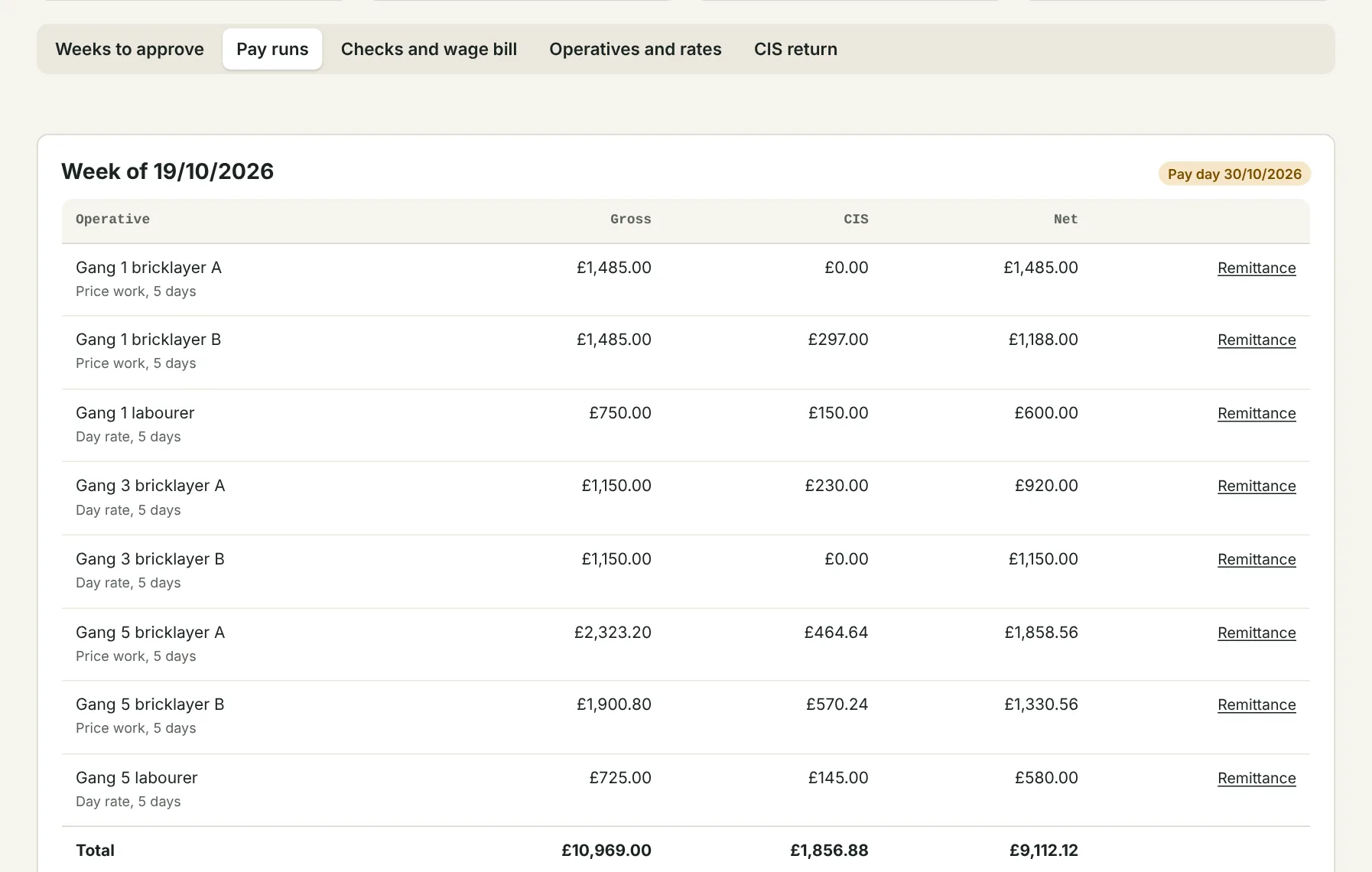
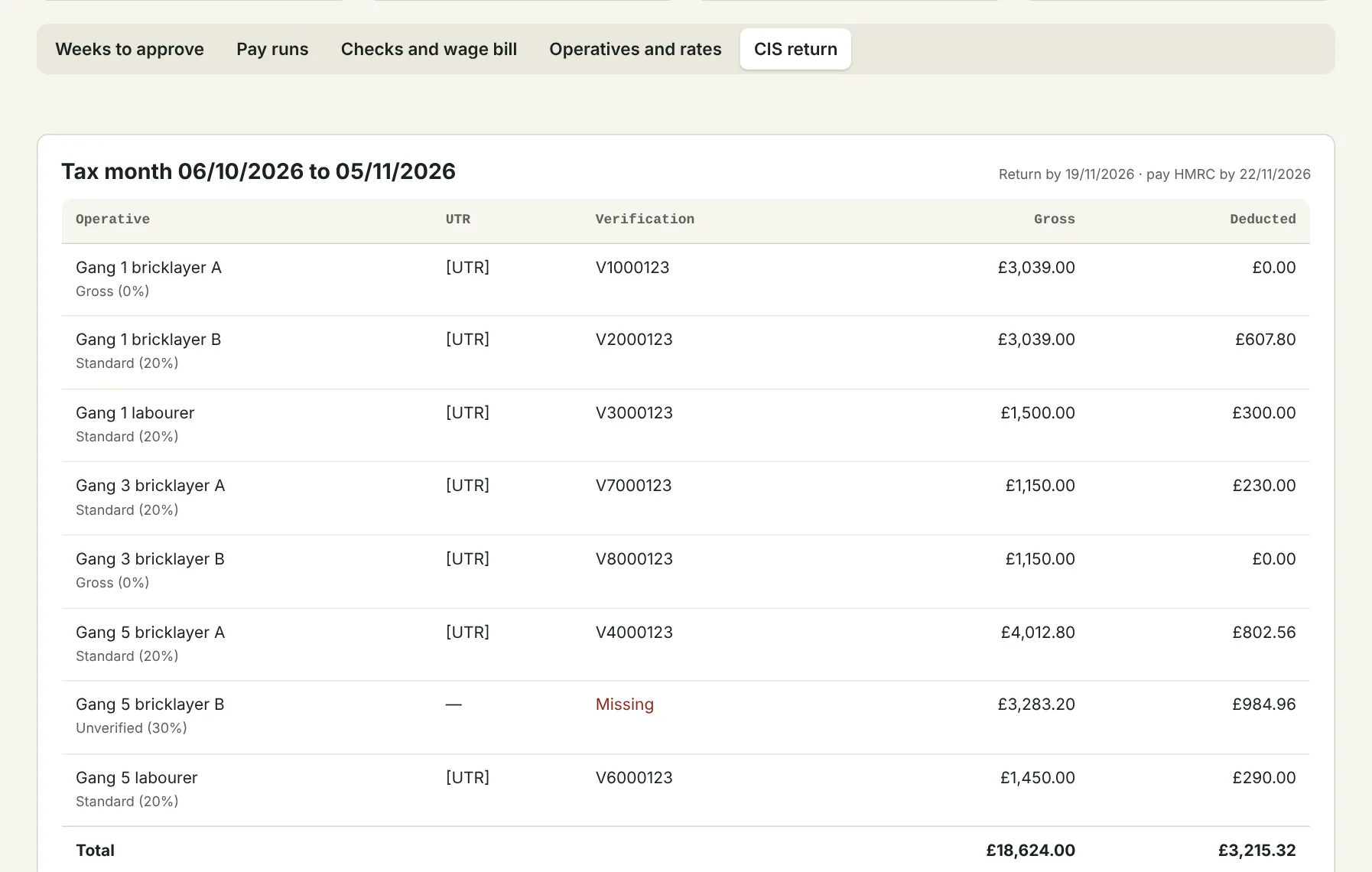
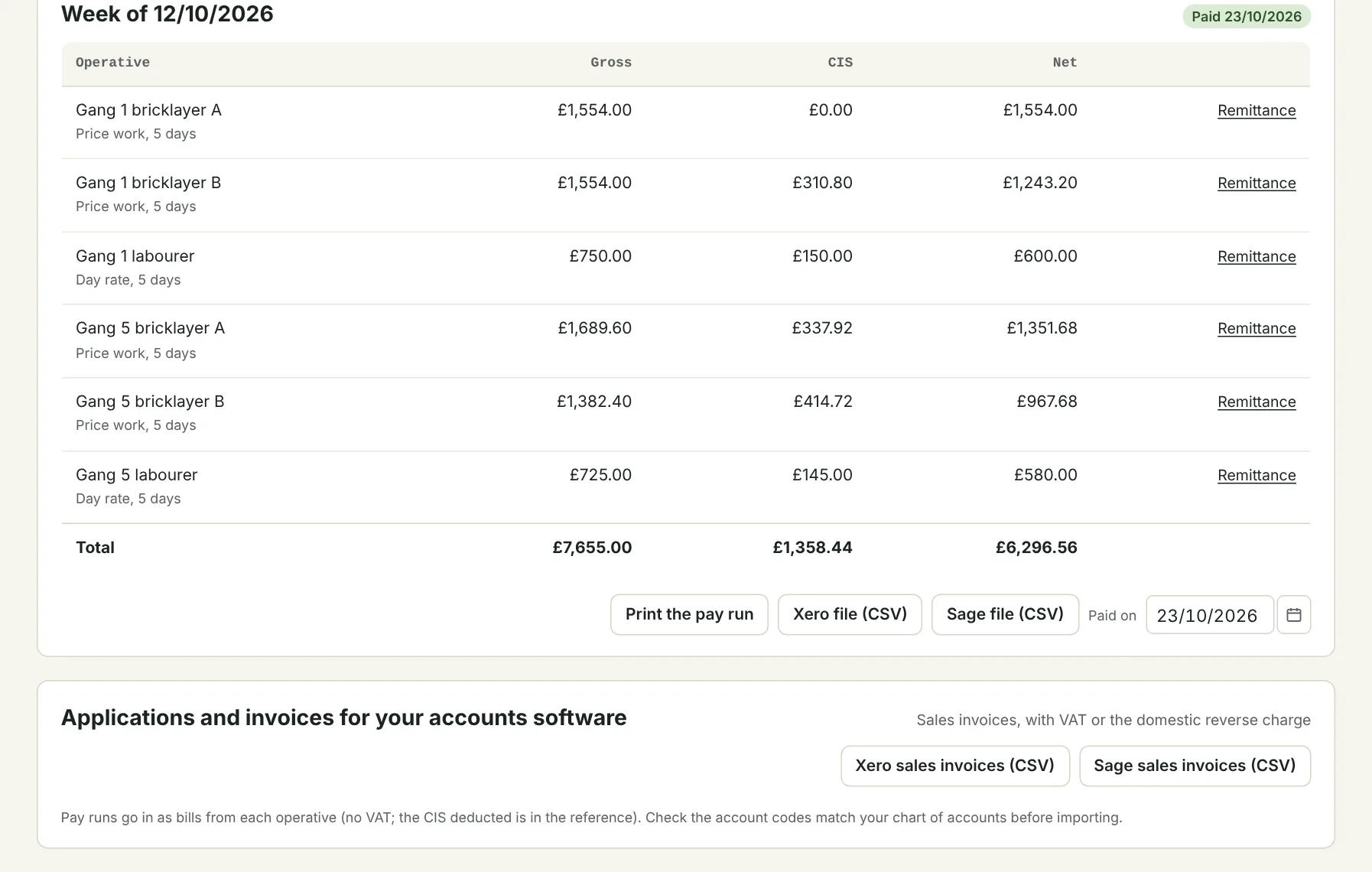
Swipe for more screens. Tap one to open it full size.
And the whole business
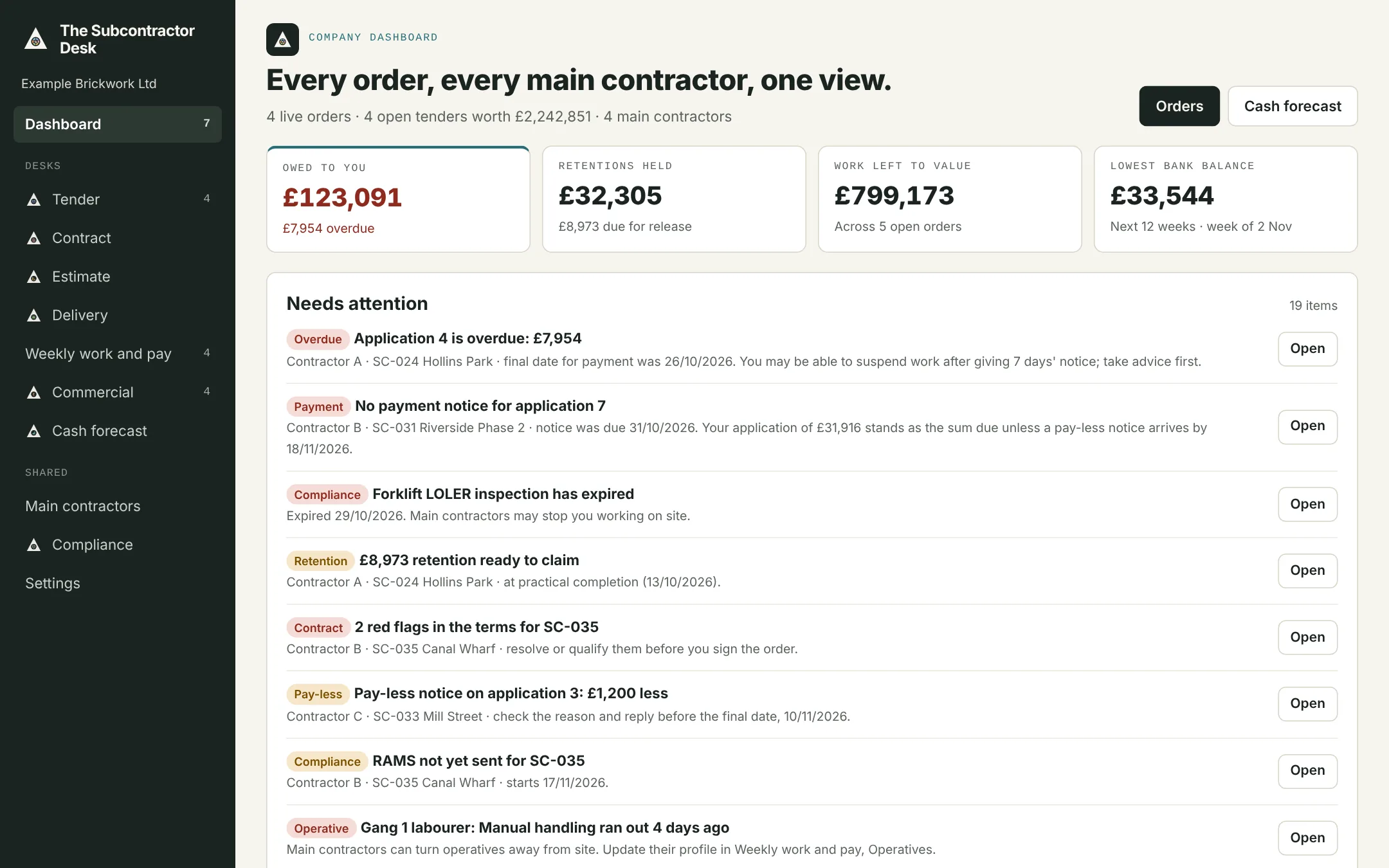
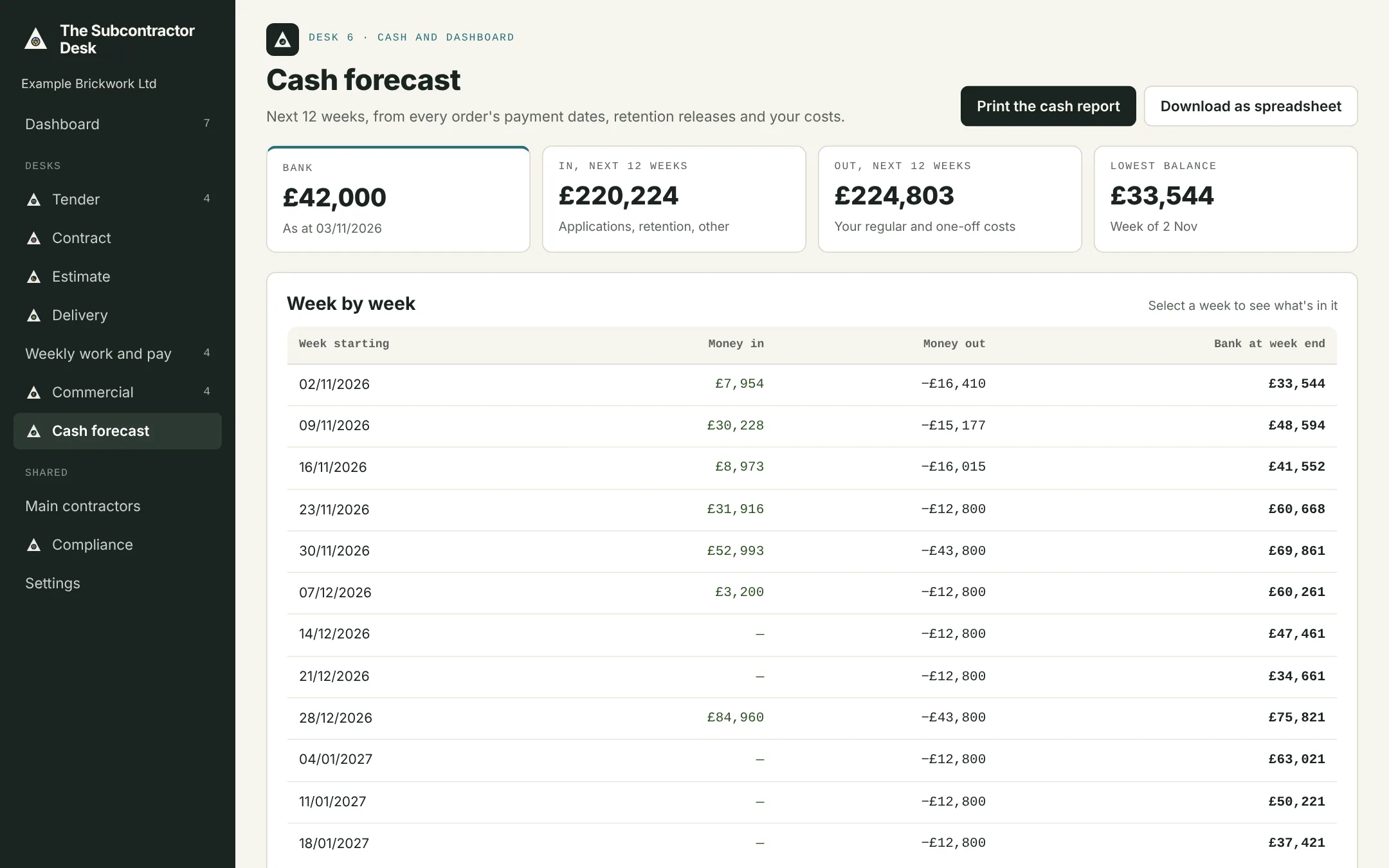
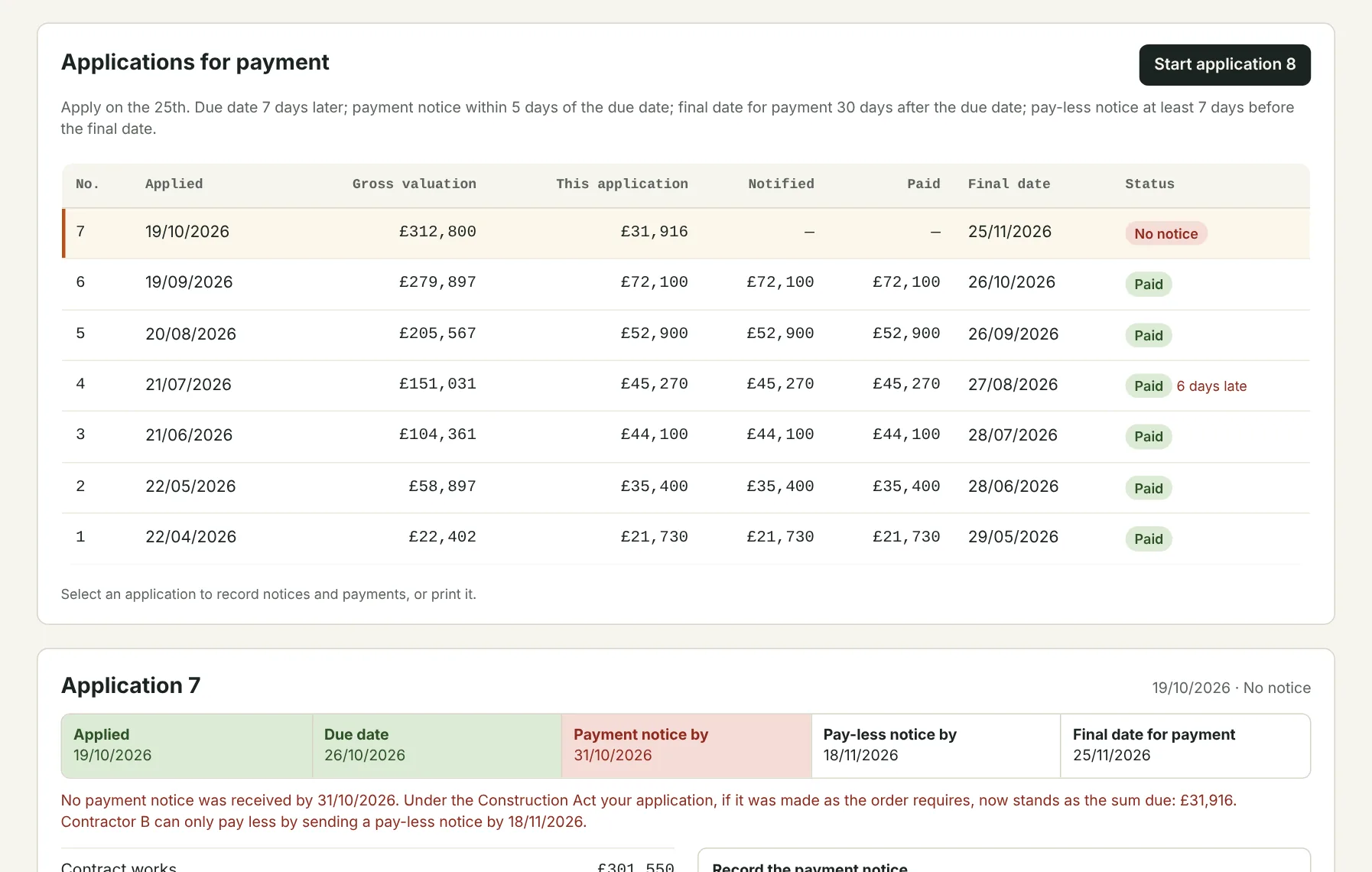
Every order, every main contractor, one screen.
Beyond pay, the owner sees what's owed, what's due and what needs doing next across every order.
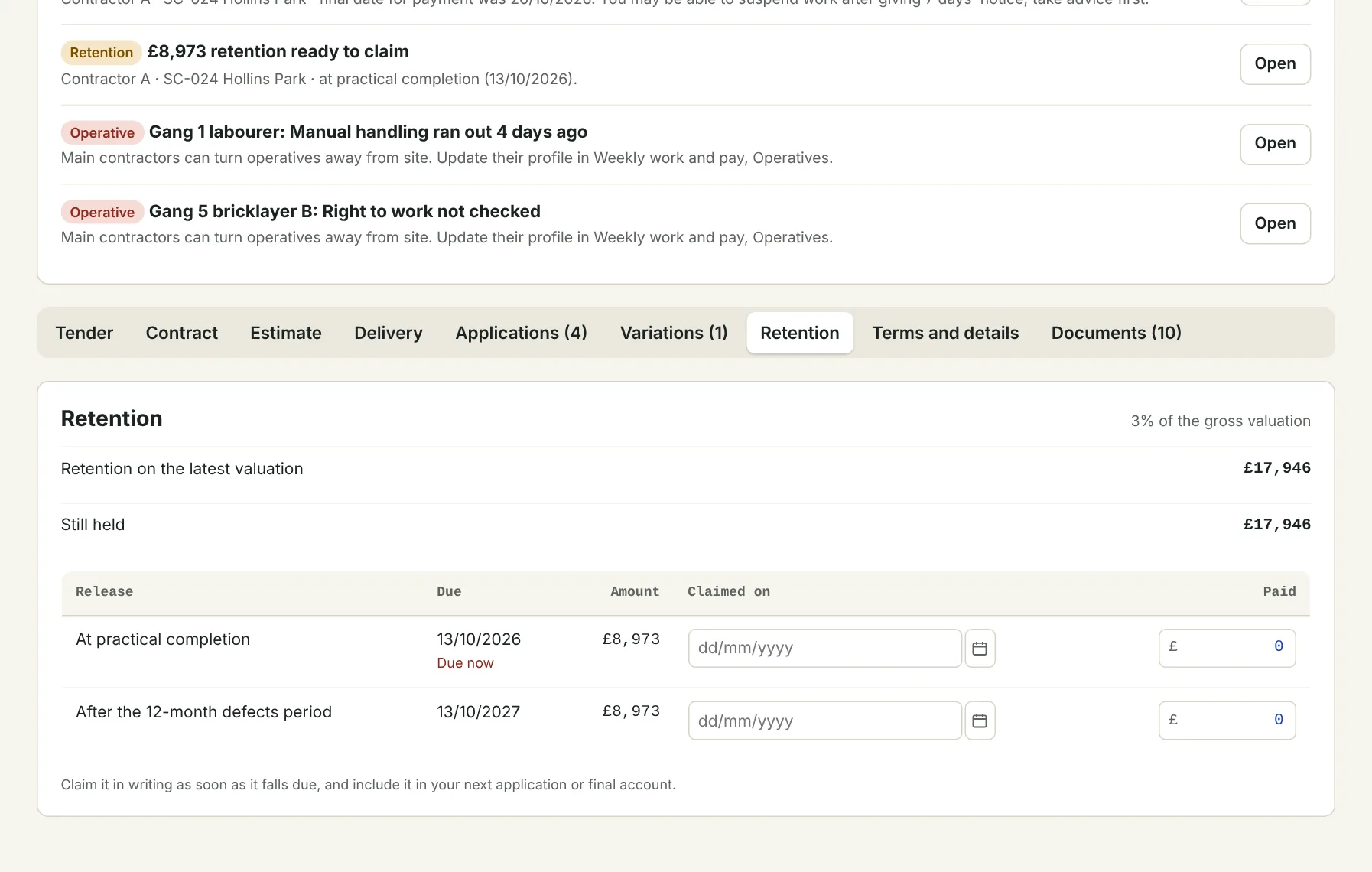
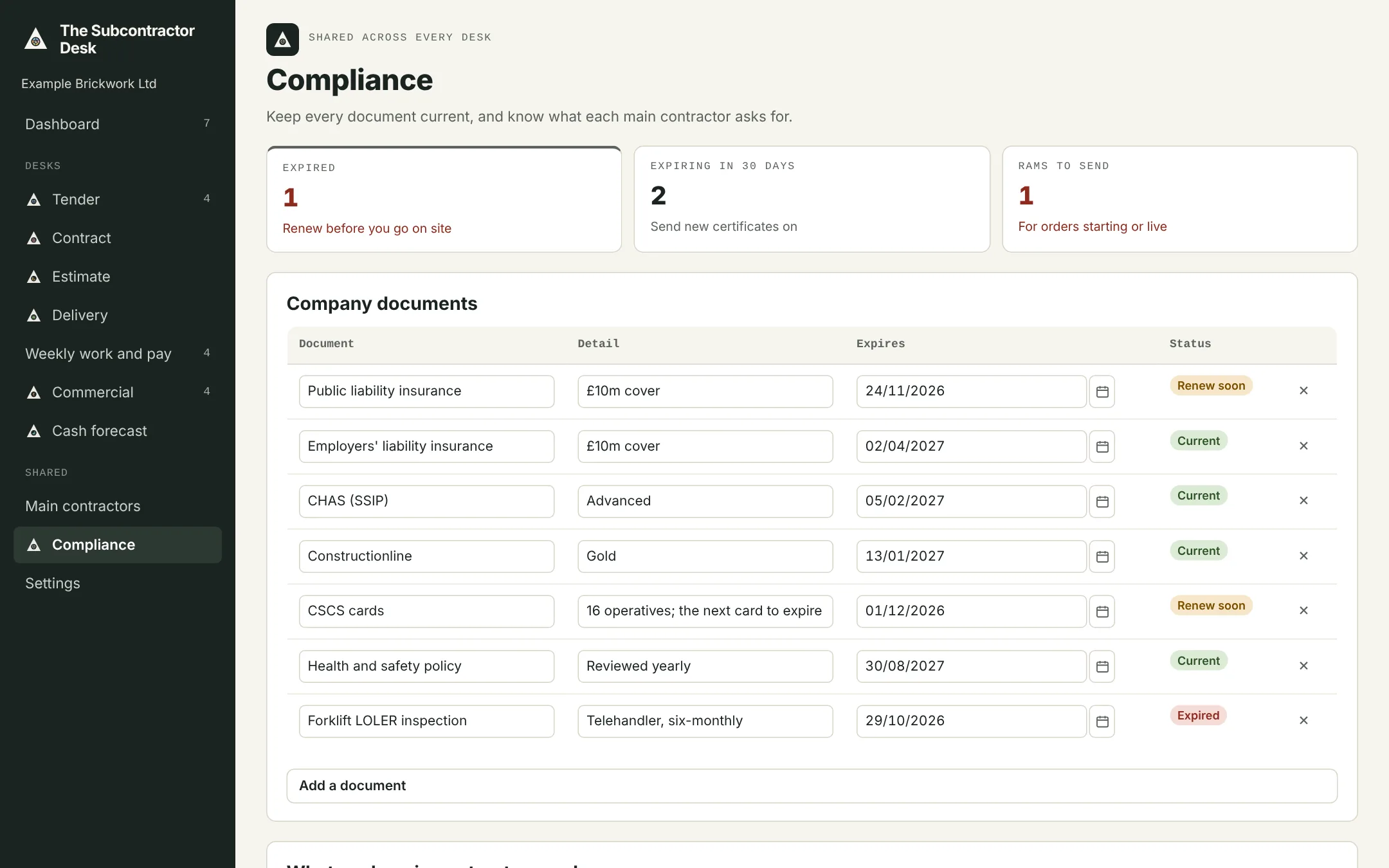
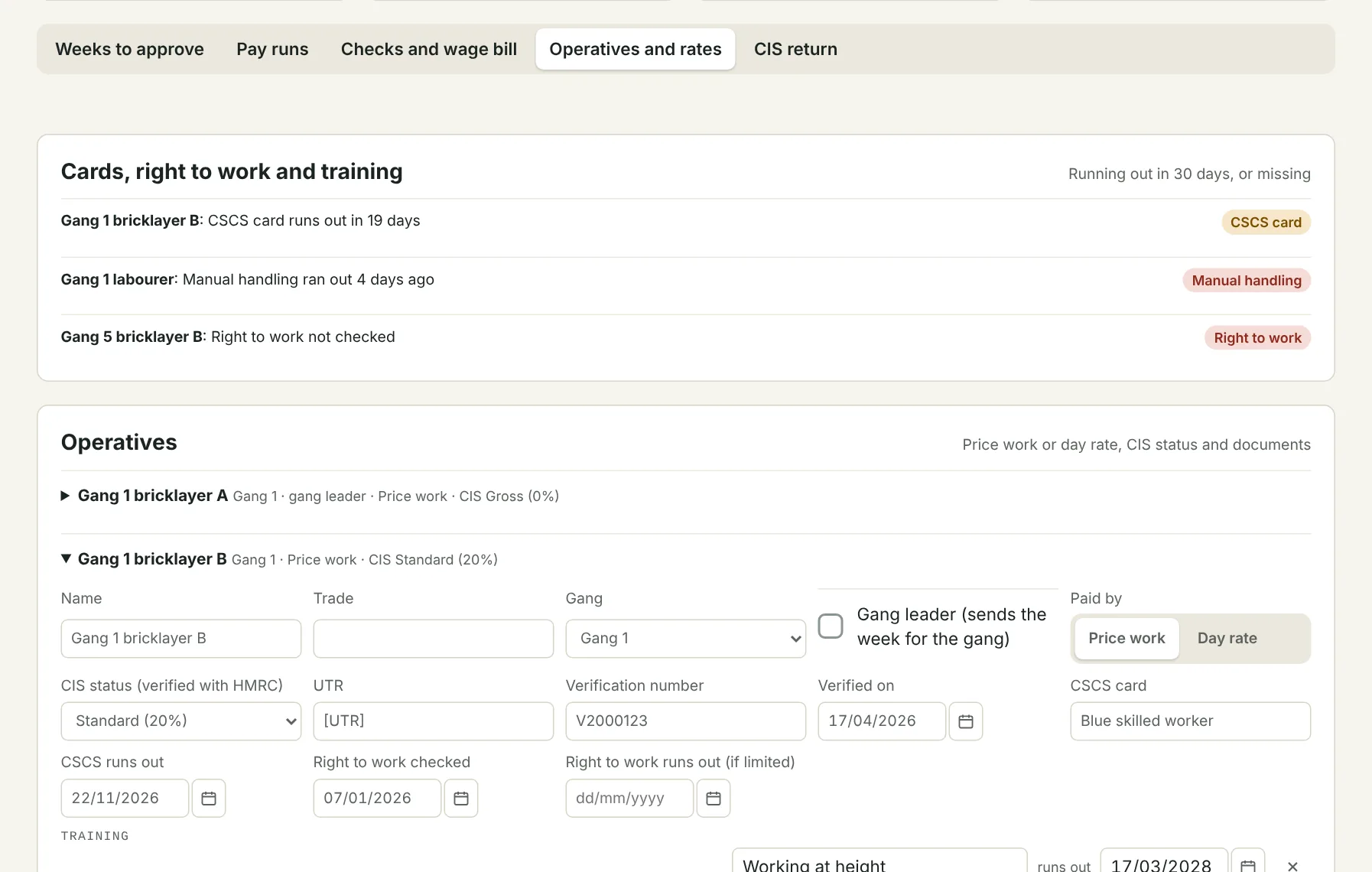
Swipe for more screens. Tap one to open it full size.
How it flows
One week, from the scaffold to the accounts.
Nobody types the week in twice. Each step picks up where the last one left off.
- 1Operative or gang leaderSends the week from their phone, even with no signal
- 2Contracts managerChecks it against the work, or queries it back
- 3OwnerApproves it for payment
- 4Pay runCIS worked out and a remittance for each operative
- 5Xero or SageThe pay run exported to your accounts
Try it on your own jobs
Free for 30 days. Operatives are always free.
Start a 30-day trial, or join the founding pilot and use it free for 6 months.